 NanoPhoto.AI Docs
Billing & Invoice
How to get a business invoice (international commercial invoice issued by Stripe) for your purchases on NanoPhoto.AI.
Overview
NanoPhoto.AI supports issuing international commercial invoices via Stripe for business and enterprise purchases. If your company requires an invoice for accounting or expense reimbursement, you can enable the Enterprise Purchase option and fill in your company's billing information.
How to Get an Invoice
Step 1: Enable Enterprise Purchase
Go to the Pricing page, check the Enterprise Purchase checkbox at the bottom of the pricing table.
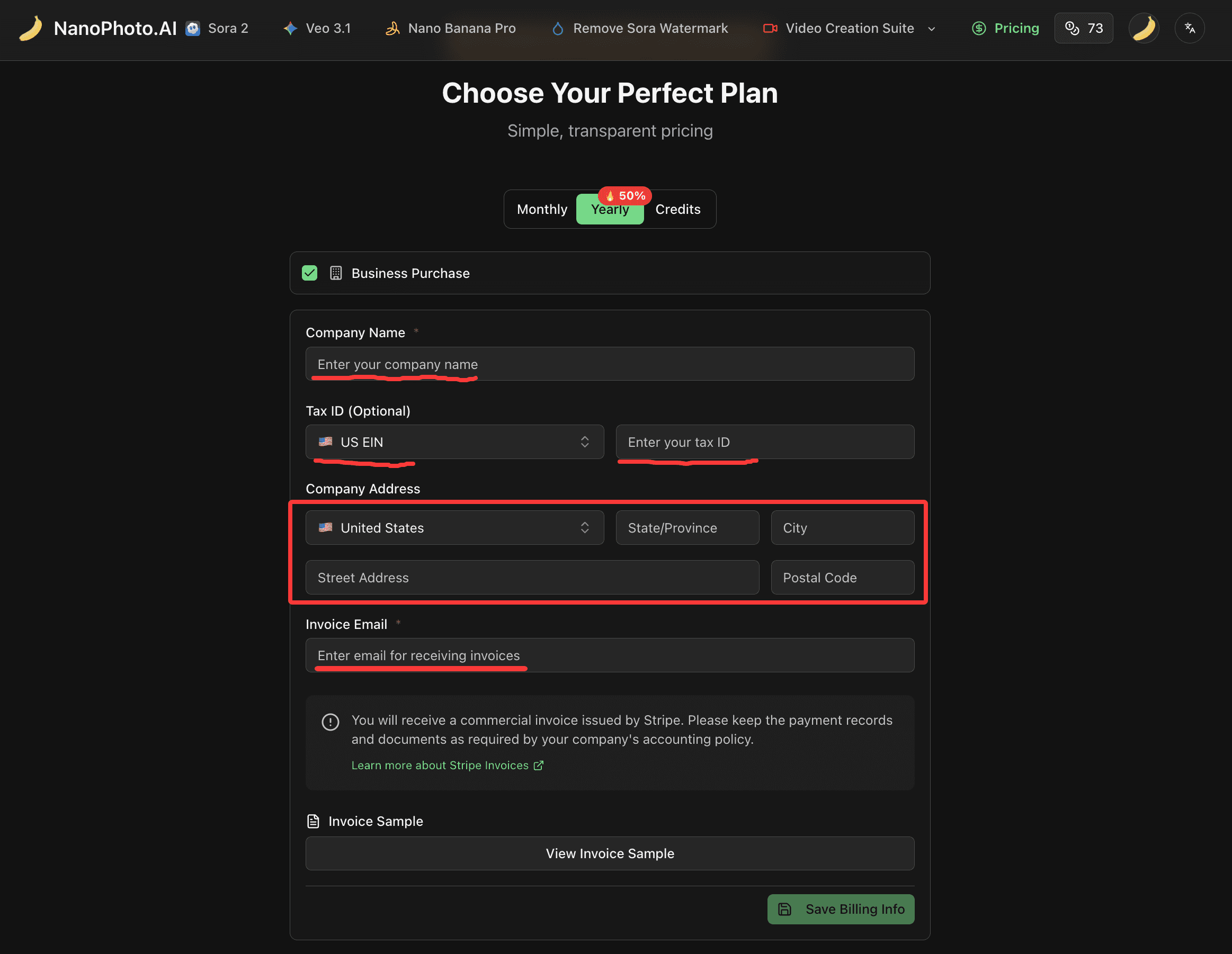
Step 2: Fill in Billing Information
Complete the billing form with your company details:
| Field | Description |
|---|---|
| Company Name | Your company's legal name |
| Tax ID Type | Select the appropriate tax ID type for your country (e.g., US EIN, EU VAT, etc.) |
| Tax ID | Your company's tax identification number (optional) |
| Country/Region | Company's registered country |
| State/Province | State or province |
| City | City |
| Street Address | Full street address |
| Postal Code | Postal/ZIP code |
| Invoice Email | Email address to receive invoices |
Step 3: Save and Purchase
After saving your billing information, proceed with your purchase. Stripe will automatically send an international commercial invoice to the email address you specified.
FAQ
What type of invoice will I receive?
You will receive an international commercial invoice issued by Stripe. Learn more about Stripe Invoices.
Can I get an invoice if I forgot to fill in billing info before paying?
Yes. Follow these steps:
- Go to the Pricing page
- Check Enterprise Purchase and complete your billing information
- Save the billing info
- Send an email to support@nanophoto.ai requesting a retroactive invoice
- We will issue the international invoice within 3 business days
Which tax ID types are supported?
NanoPhoto.AI supports a wide range of international tax ID types through Stripe, including but not limited to:
- US: EIN (Employer Identification Number)
- EU: VAT Number
- UK: VAT Number
- China: TIN (Taxpayer Identification Number)
- Hong Kong: BR Number
- Japan: Corporate Number
- Korea: BRN (Business Registration Number)
- And many more
Can I update my billing information?
Yes. Visit the Pricing page at any time to update your company billing details. Changes will apply to future purchases.