A little room for your next film.
FilmCraft Online Free
Edit with FilmCraft online free. Shape a short story from your own clips, then export from your browser. No account, subscription or NanoPhoto credits.
Free basic editing Files stay on your device
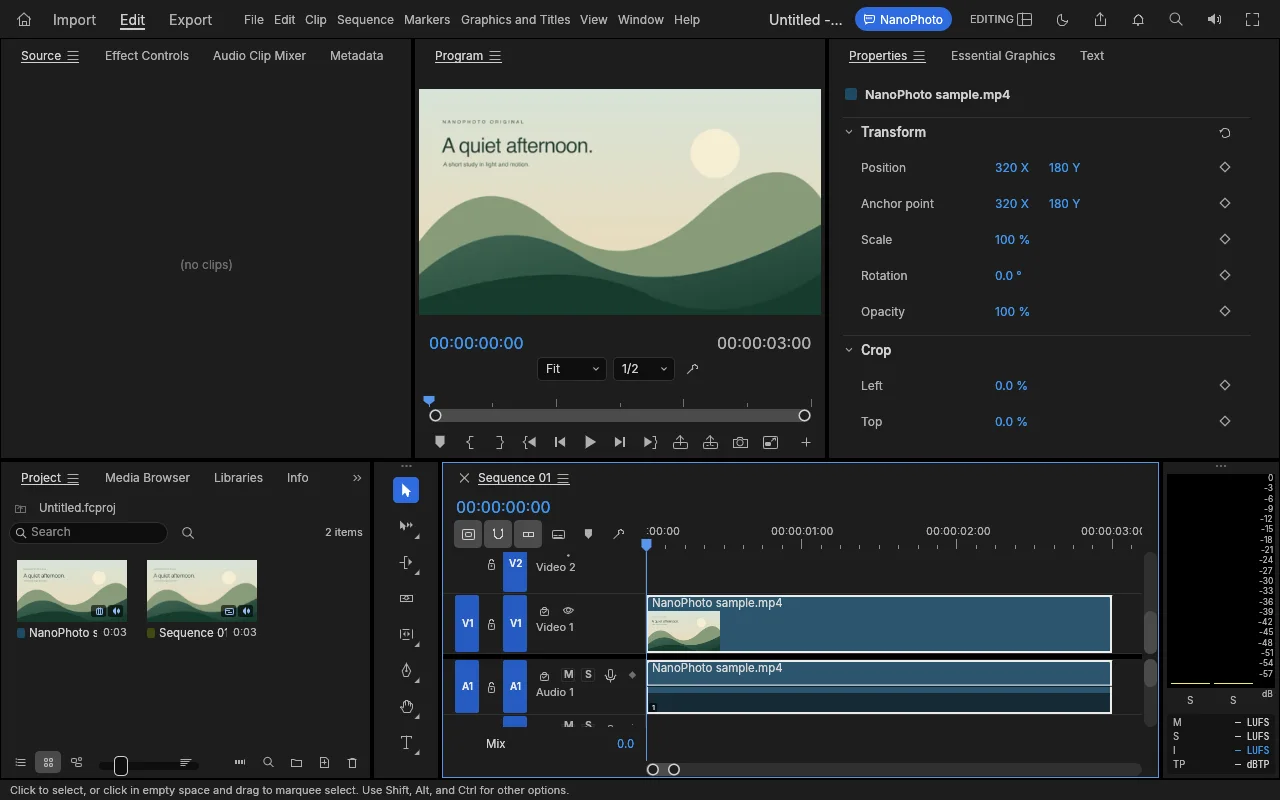
Actual editor · original sample · English interface
FROM FOOTAGE TO FINISH
A timeline. A story. Your FilmCraft.
FilmCraft online brings a multi-track workspace to your browser. FilmCraft handles detailed cuts, audio and color in one place.
Bring clips into FilmCraft
Open FilmCraft online and import a short MP4. The sample lets you explore FilmCraft before choosing a personal file.
Make the cut in FilmCraft
Use FilmCraft to trim a clip, arrange a sequence and preview your timing. Start small before building a longer edit.
Export with FilmCraft online free
Finish in FilmCraft online free and download your video. Export speed depends on your device and browser.
What is free in FilmCraft?
FilmCraft online free offers a multi-track timeline, clip tools and local video export. Explore FilmCraft for short edits before moving to larger projects.
- Free basic editing
- Files stay on your device
- No added watermark
Before you start FilmCraft
FilmCraft is early alpha. Some desktop tools are unavailable in FilmCraft online. Browser memory and single-threaded processing limit demanding projects.
On a phone, use full screen and landscape for more room. Large files and complex projects work best on a computer.
FilmCraft online free: questions
Is FilmCraft online free?
Yes. FilmCraft online free includes basic editing and export without signing in or spending credits. Separate NanoPhoto AI tools have their own pricing.
Does FilmCraft upload my video?
This self-hosted FilmCraft workspace processes media in your browser. Files are not sent to a processing server. Other AI tools may upload media when you choose them.
Does FilmCraft online work on a phone?
Use FilmCraft online in a compatible mobile browser. Full screen and landscape help with timeline editing. A desktop is more comfortable for detailed work.
Which video should I start with in FilmCraft online?
Try a short H.264 MP4 in FilmCraft. Codec support and available memory vary by device. Save an exported copy before closing FilmCraft.
Keep creating.
Based on the open-source FilmCraft project. Adapted and self-hosted by NanoPhoto.AI; an independent workspace. Licenses & attribution