Join Our Affiliate Program
Earn 20% commission for six months with referral links or your own discount code. Give your audience 20% off, including subscription renewals.
Know the terms before you share
- Commission rate
- 20%
- Commission duration
- 6 months
- Approval hold
- 30 days
- Customer discount
- 20% off, ongoing
Default terms apply across all plans and products. The customer’s ongoing subscription discount is separate from your six-month commission period. Any individual commission override is shown in your affiliate account.
Referral Link Commission
- 20% commission, with a six-month earning period
- Automatic tracking through Affonso platform
Custom Discount Code
- Users get 20% discount on purchases
- You earn 20% commission on sales
- Orders are attributed to the affiliate whose code is used
How It Works
Get started in just 3 simple steps
Sign Up at Affonso.io
Register in our free affiliate portal and wait for approval. This account is separate from your NanoPhoto product account.
nanophoto.affonso.ioCreate Your Discount Code
After approval, create your code in the affiliate portal. Contact support if you need help linking it to your account.
support@nanophoto.aiStart Earning
Share your link or code. Code-only purchases count too; the buyer does not need to click your link first.
Preview checkout with a free account
Your affiliate login is not a NanoPhoto product login. Use a free product account to inspect Stripe Checkout without buying or starting a paid trial.
Sign in to NanoPhoto
Create or sign in to a free product account, separate from the affiliate portal.
Choose the plan and billing period
For an annual quote, choose annual billing, then continue to Stripe Checkout.
Apply your code and compare
Keep the purchaser market and currency the same. Check the code applied and compare the full charge before and after the discount.
Viewing checkout does not complete a payment. Check any taxes and renewal terms shown before publishing a dated quote or screenshot; an annual plan’s monthly equivalent is not its full annual charge. You can leave without paying.
Real Affiliate Success Stories
Affiliate dashboard snapshots and examples of how commission is calculated.
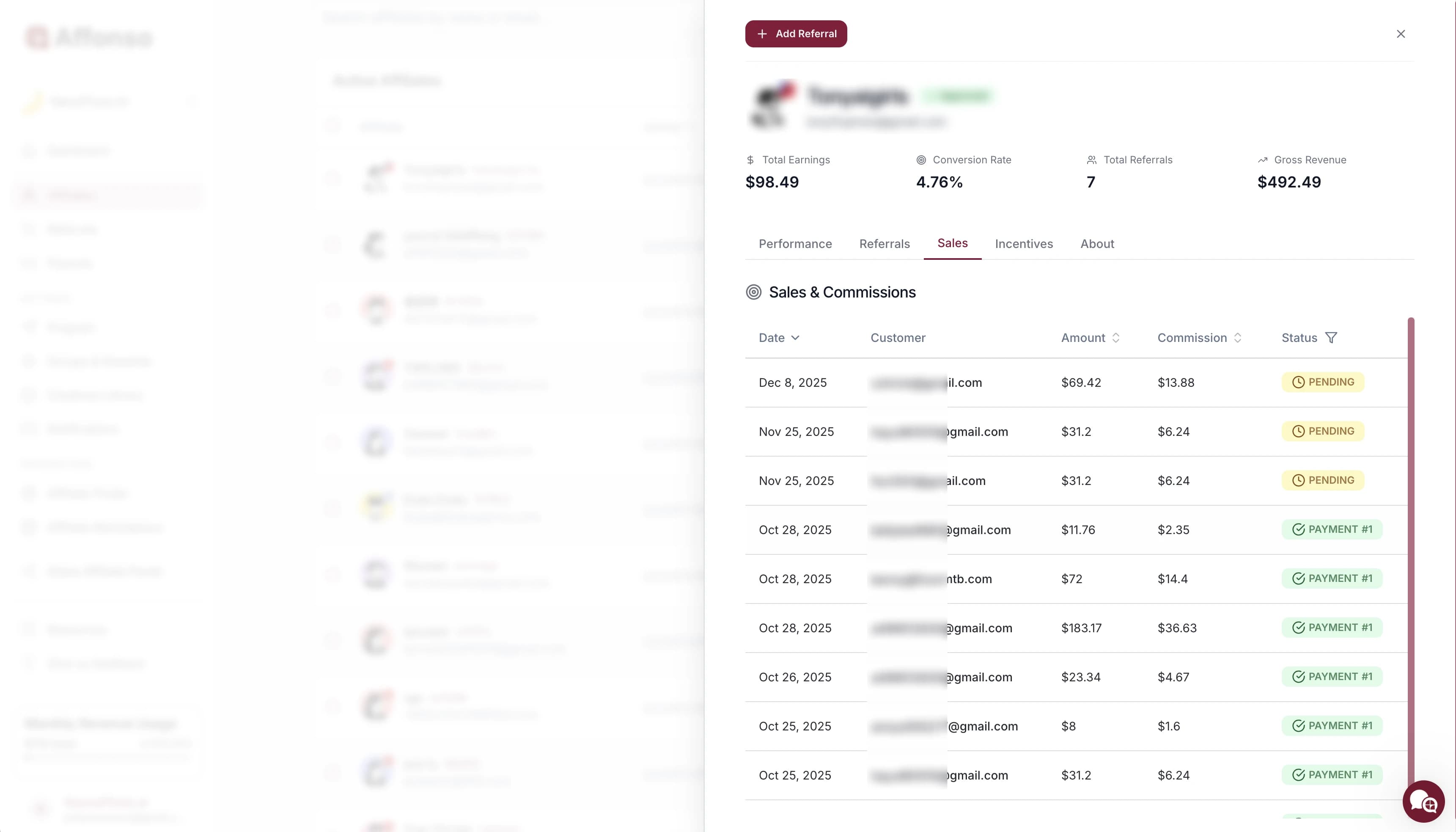
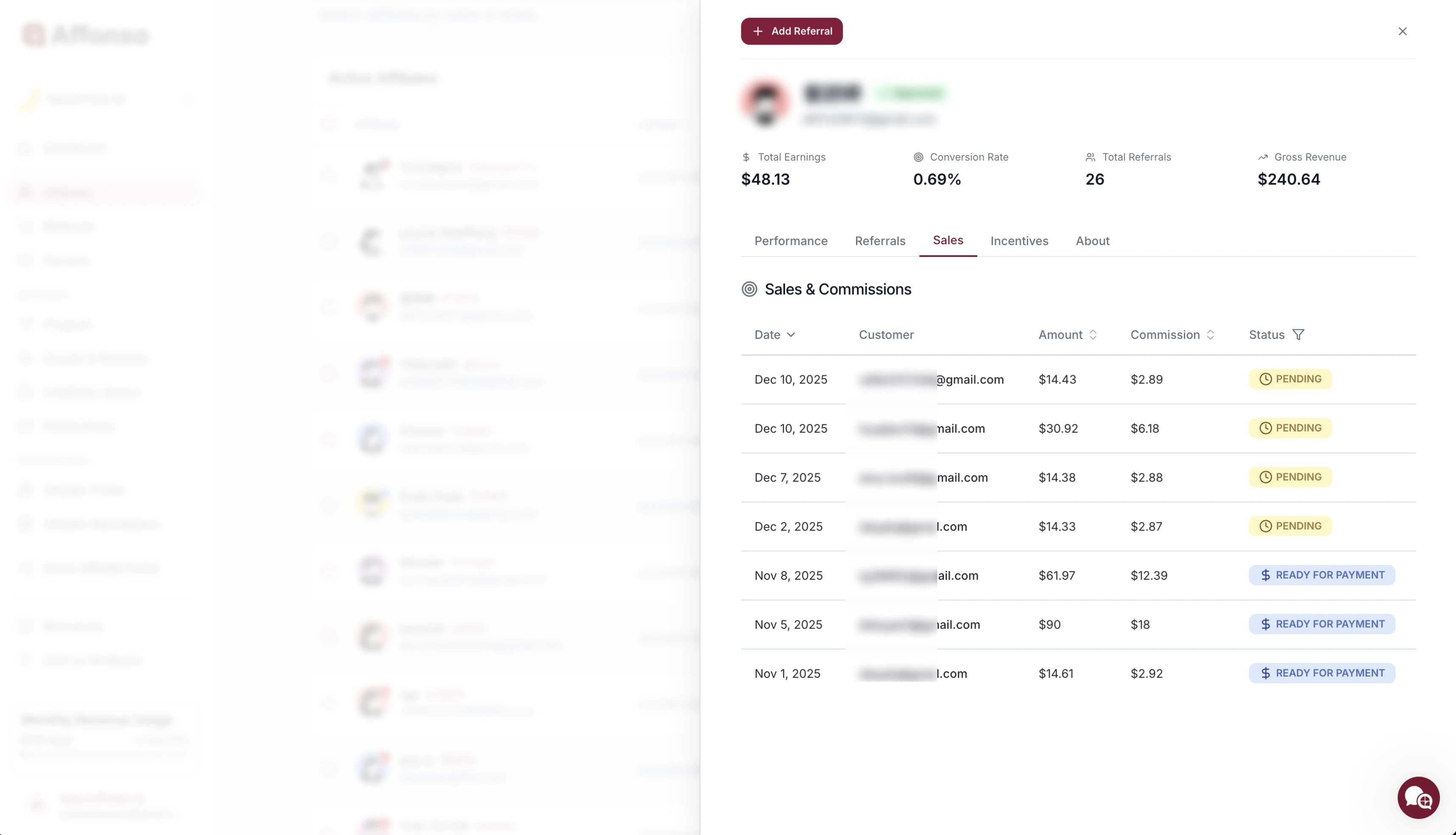
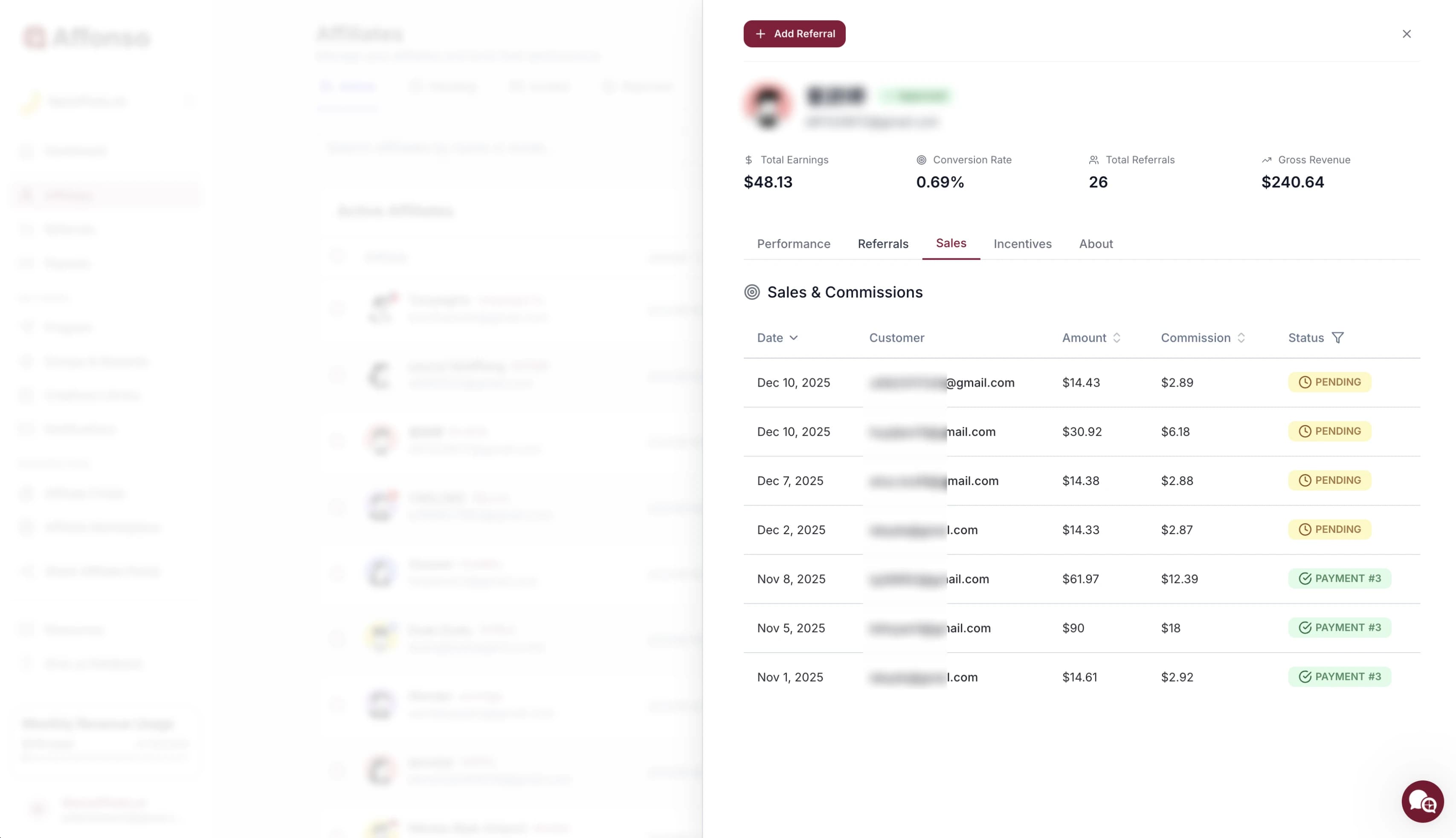
These calculations are examples, not current plan quotes. Check Stripe Checkout for the selected currency, billing period, full first charge, applicable taxes and renewal terms.
Referral Link Commission
Illustration: a referred customer makes a $39 payment without a discount.
If the user renews, you'll continue to earn 20% commission on all renewals within 6 months.
Discount Code Commission
Illustration: a customer uses your 20% discount code on a $39 order; commission is calculated on the discounted amount.
If the user renews, you'll continue to earn 20% commission on all renewals within 6 months.
Why Choose Our Program
Generous Commissions
20% commission across all plans and products for six months, with a 30-day approval hold.
Reliable Tracking
Powered by Affonso with direct Stripe integration
Easy to Use
Simple links and codes that work seamlessly
Affiliate program FAQ
Clear answers about attribution, renewals, publishing and checking prices.
How much commission do I earn, and for how long?
The default commission is 20% across all plans and products, with a six-month commission duration and a 30-day approval hold. There is no individual override unless one is shown in your affiliate account.
Does the customer’s discount continue on renewals?
Our standard self-service partner codes give 20% off with no fixed discount duration, including subscription renewals. This ongoing customer discount does not extend your six-month commission period. Check the terms of your own code and the selected checkout.
Can a code-only purchase earn commission without a link click or cookie?
Yes. If the buyer uses the discount code linked to your affiliate account, the order is attributed to you even without a prior click on your referral link or your tracking cookie.
What if the buyer previously clicked another affiliate’s link?
Commission follows the affiliate discount code used on the order. Referral links can apply a code automatically, so check the code actually applied at checkout. Orders placed with your own linked code are attributed to you.
Why does my affiliate login not open product checkout?
The affiliate portal and NanoPhoto product site use separate accounts. Create or sign in to a free NanoPhoto product account to view plans and open Stripe Checkout.
Can I verify a price without a purchase or paid trial?
Yes. Use a free product account, choose a plan and billing period, and continue to Stripe Checkout. Compare the full first charge with and without your code in the same market and currency. Review any taxes and renewal terms shown. You can exit without paying; no paid trial is required.
Are purchasers restricted to certain countries or regions?
NanoPhoto does not impose country or regional restrictions on purchaser eligibility for this affiliate offer. Check the currency, available payment options and any applicable taxes at Stripe Checkout.
May I publish plan information and my code in HTML or public JSON?
Yes. You may publish original, dated NanoPhoto plan information and your assigned offer code on your site, in indexed HTML and public anonymous JSON. Verify the current checkout first and state the market, currency, billing period, full charge, tax treatment and renewal terms you checked.
How do I get a discount code linked to my account?
Apply through our affiliate portal. After approval, create your own code there. Use the code assigned to your account; another affiliate’s code will not earn you commission. Contact support if you need help.
Ready to Start Earning?
Apply for a free affiliate account. Once approved, get your referral link and create your discount code.