
Product
Meigan AI 2026 Review: A Hands-on MeiGen Tutorial
A real MeiGen walkthrough with screenshots: choose a prompt, generate a product photo, inspect the result, and understand credits, pricing and limitations.


Product
Remove burned-in subtitles without cropping
Keep the full frame when removing burned-in subtitles. Learn how to choose a test clip, inspect motion artifacts, and check the downloaded video.

Product
Video-to-prompt vs manual shot breakdown
Choose between manual shot lists, general AI analysis and a dedicated video-to-prompt tool. Compare editing control, review effort and reusable output.

Product
YouTube video to shot-by-shot AI prompts
Turn a reference video into a usable shot list: check cuts, describe camera movement, write one prompt per shot, and keep visual continuity.
Product
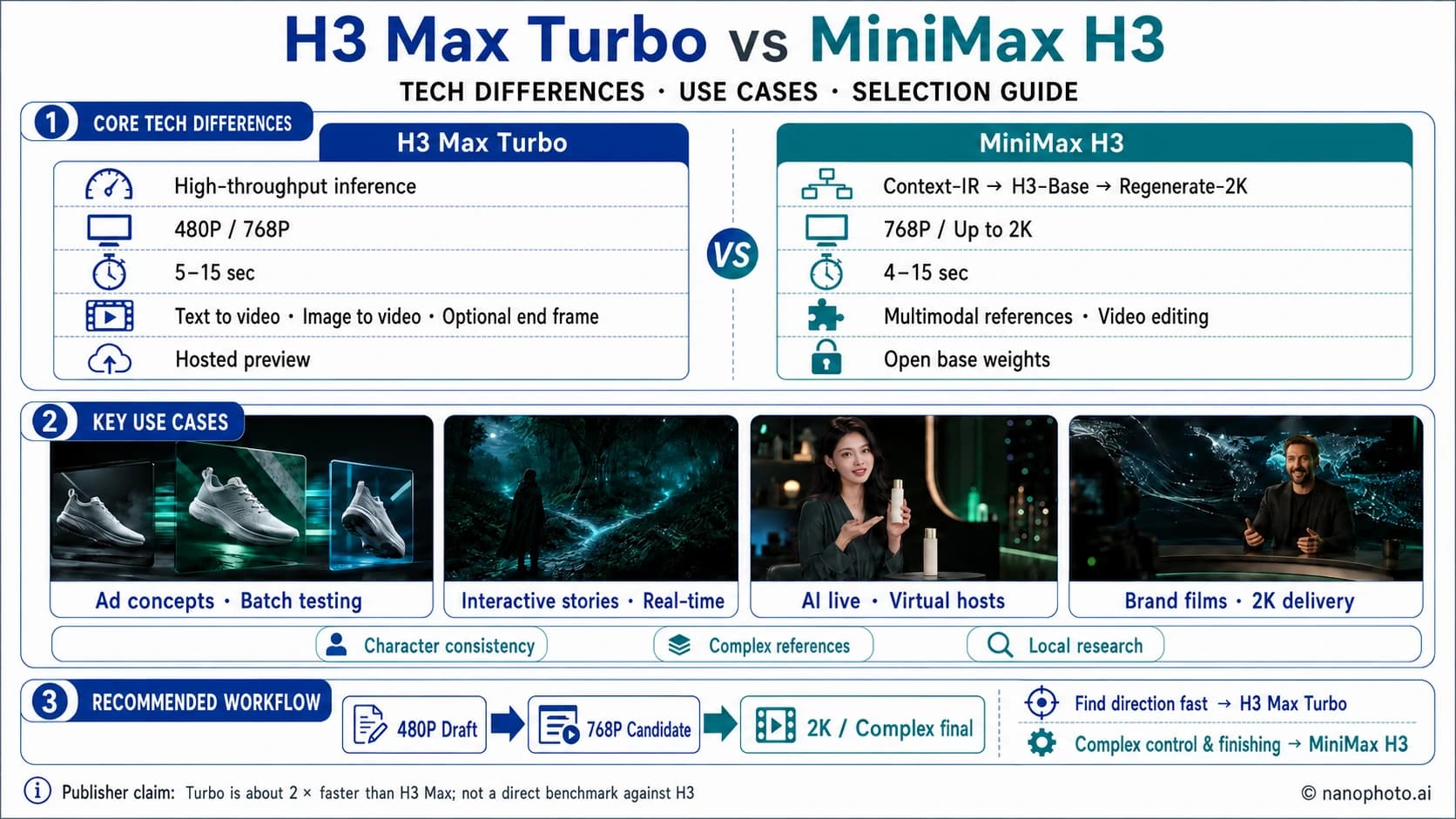
H3 Max Turbo vs MiniMax H3: Speed, Quality, Resolution, and Which to Choose
How do H3 Max Turbo and MiniMax H3 differ? Compare speed, 480P/768P/2K output, duration, reference inputs, video editing, and the best use cases for each model.

Product
How to Remove Text from a Video: 4 Practical Methods
Learn how to remove text from a video by deleting subtitle tracks, cropping, covering, or cleaning burned-in captions with NanoPhoto.AI.