Complex information visualization
Turn data, concepts, timelines, charts, and dense copy into structured visual layouts. It is suited to infographics, educational graphics, presentation visuals, and product prototypes where hierarchy matters.
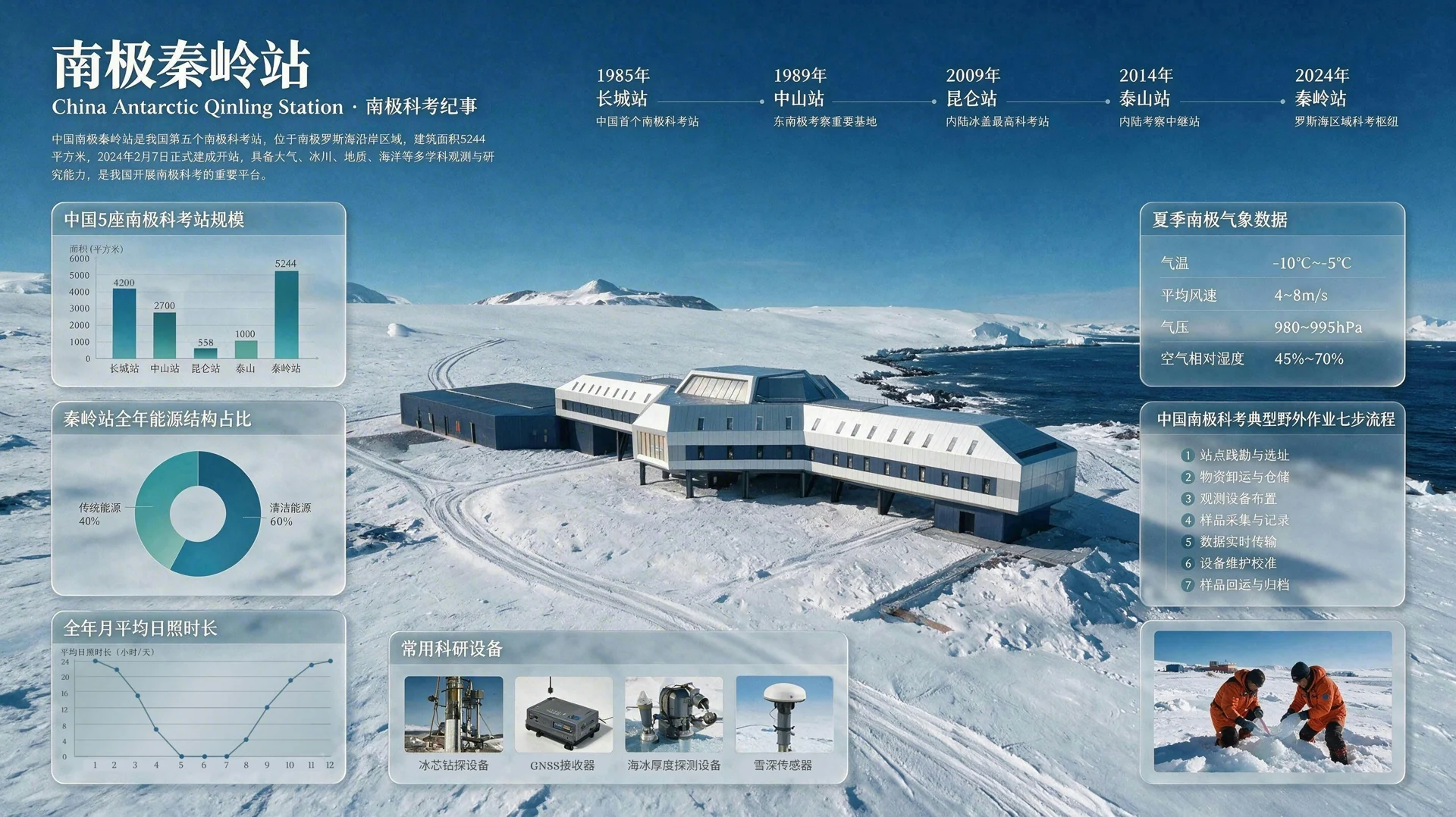
Turn text or up to 10 reference images into one production-ready visual. Seedream 5.0 Pro is built for dense infographics, controlled edits, realistic imagery, and multilingual layouts in 1K or 2K.
Create now
Describe a new image, or add references to guide subject, composition, material, and style. Each request returns one image.
First-party release footage
This 63-second release reel from ByteDance Seed demonstrates information layouts, guided editing, visual composition, realism, and multilingual creation.
The video demonstrates model capabilities. The NanoPhoto generator on this page currently provides text-to-image and reference-image editing, not the point, lasso, or independent-layer controls shown in the release footage.
Core capabilities
Seedream 5.0 Pro improves image-text alignment, structural coherence, typography, and visual quality, with four capability areas highlighted in the official release.
Turn data, concepts, timelines, charts, and dense copy into structured visual layouts. It is suited to infographics, educational graphics, presentation visuals, and product prototypes where hierarchy matters.
The model understands spatial positions and regional semantics for localized changes, material replacement, sketch guidance, and multi-image fusion. This page exposes prompt-led reference editing; specialized selection controls belong to the official model demonstrations.
Generate scenes with more convincing illumination, reflections, material response, skin texture, and photographic depth for portraits, product imagery, architecture, and cinematic concepts.
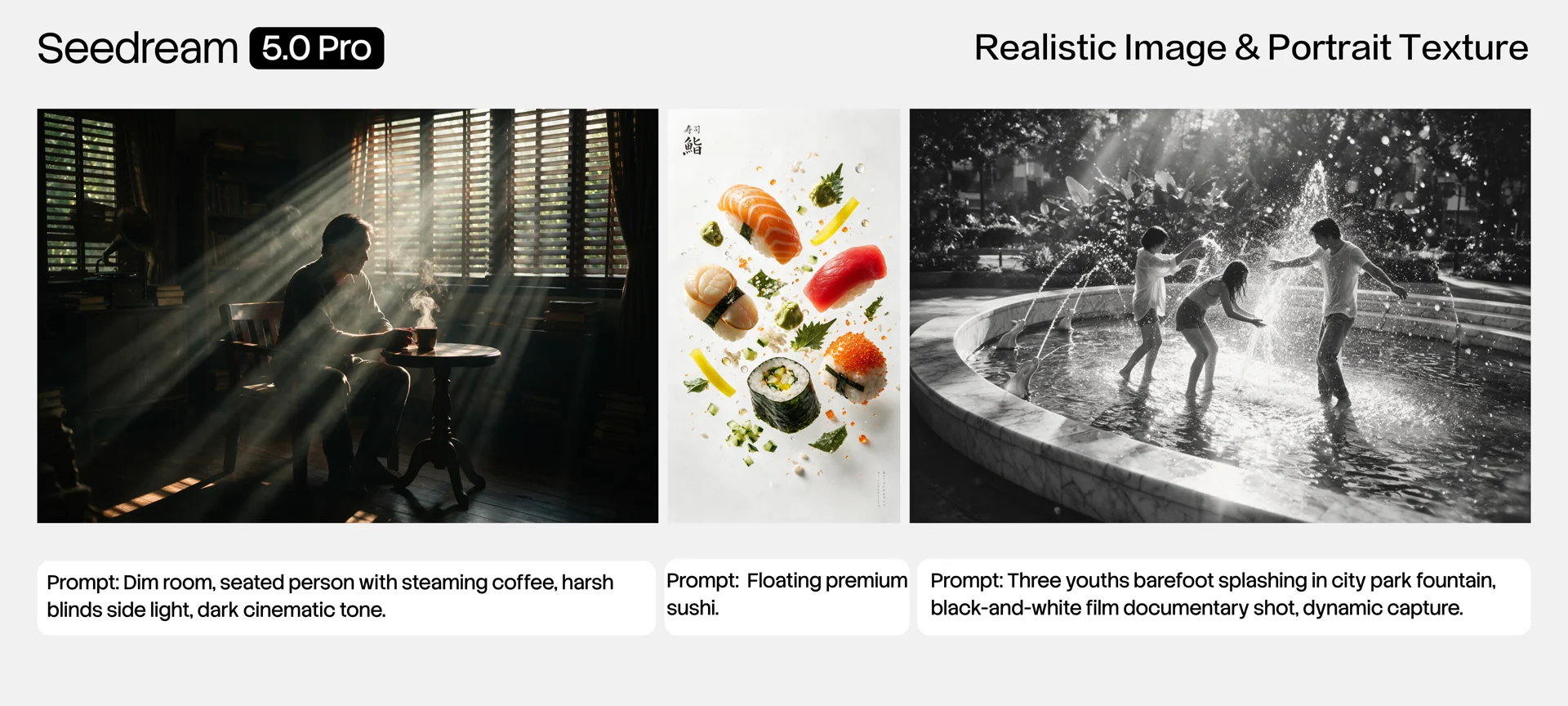
Write prompts and render visual text in more than ten widely used languages. Localized typography and cultural context make the model useful for regional campaigns, while important text should still be proofread before publishing.
Describe the subject, layout, required text, lighting, style, and final purpose. For information graphics, state the hierarchy and facts explicitly.
Upload up to 10 JPEG, PNG, or WebP images to guide identity, materials, products, scene composition, or visual style.
Select one of eight aspect ratios and Basic 1K or High 2K. Verify names, numbers, labels, and brand details before using the result.
These are the input and output specifications currently supported by the NanoPhoto Seedream 5.0 Pro generator.
Organize timelines, comparisons, diagrams, and dense explanatory content into a single clear frame.
Create product concepts, advertising scenes, packaging studies, and localized campaign art from references.
Explore natural skin, materials, lighting, architecture, lifestyle photography, and cinematic compositions.
Build coherent visual directions and strong first-frame assets before moving into an image-to-video workflow.
Choose Pro for polished, controllable single-image production. Choose Lite for the separate reasoning-oriented Seedream workflow already available on NanoPhoto.
| 5.0 Pro | 5.0 Lite | |
|---|---|---|
| Best fit | Professional layouts and precise edits | Reasoning-led everyday creation |
| References | Up to 10 | Up to 14 |
| Resolution here | 1K / 2K | 2K / 4K |
| Output pattern | One final image | Separate Lite generation workflow |
Practical answers based on the current product release and API documentation.
Seedream 5.0 Pro is ByteDance Seed's multimodal image creation model for controlled generation, dense information visualization, precision editing, realistic imagery, and multilingual visual production.
Yes. You can generate from text alone or add up to 10 reference images for prompt-guided image editing and fusion.
In the current Pro API, Basic produces a 1K image and High produces a 2K image. This differs from the separate Seedream 5.0 Lite page.
No. The standard Seedream 5.0 Pro text and image endpoints return one final image per request and do not provide streaming or sequential image generation.
The model family has a dedicated layer-decomposition API, and ByteDance demonstrates independent layers. The standard generator on this page does not currently expose editable layer export.
No. The model is optimized for dense information, but generated words, numbers, labels, and charts still require human verification before publication.
Use the separate Lite image workflow.
Refine an existing image with prompt-based tools.
Prepare finished assets for larger delivery.
Turn a strong still frame into a video concept.
Model capabilities are based on the ByteDance Seed release. Input and output specifications reflect NanoPhoto's current supported workflow.
Last verified: August 15, 2026