LOVO.AI Review (2026): Shutdown, Genny and What Comes Next
A sourced LOVO AI review covering Chapter 7 bankruptcy, unavailable websites, archived Genny screenshots and practical options for continuing your projects.
LOVO.AI is not a service we can recommend starting a new project with in September 2026. Lovo Inc. filed for Chapter 7 bankruptcy on May 27, and our September 27 check found both its public website and Genny application showing a paused-deployment page. That changes the purpose of a LOVO AI review: the useful questions are what the product offered, what the evidence says about its closure, and how to continue work without depending on an inaccessible studio.
Reviewed September 27, 2026. NanoPhoto.AI publishes this article and offers image and video creation tools. We inspected the live sites, the June 16 Wayback Machine capture, MLex’s publicly visible report preview and a publicly hosted copy of the court-filed bankruptcy notice. This is an archival product assessment and availability check, prepared with AI assistance. We did not generate new LOVO audio or compare the sound quality of competing services.
Is LOVO AI shut down?
For someone trying to use it today, LOVO and Genny were unavailable in our check. Both lovo.ai and genny.lovo.ai displayed “This deployment is temporarily paused” and returned HTTP 402. We could not reach a working creation workspace from either entry point. A provider error page describes availability; it does not by itself establish why a deployment was paused or whether it can ever return.
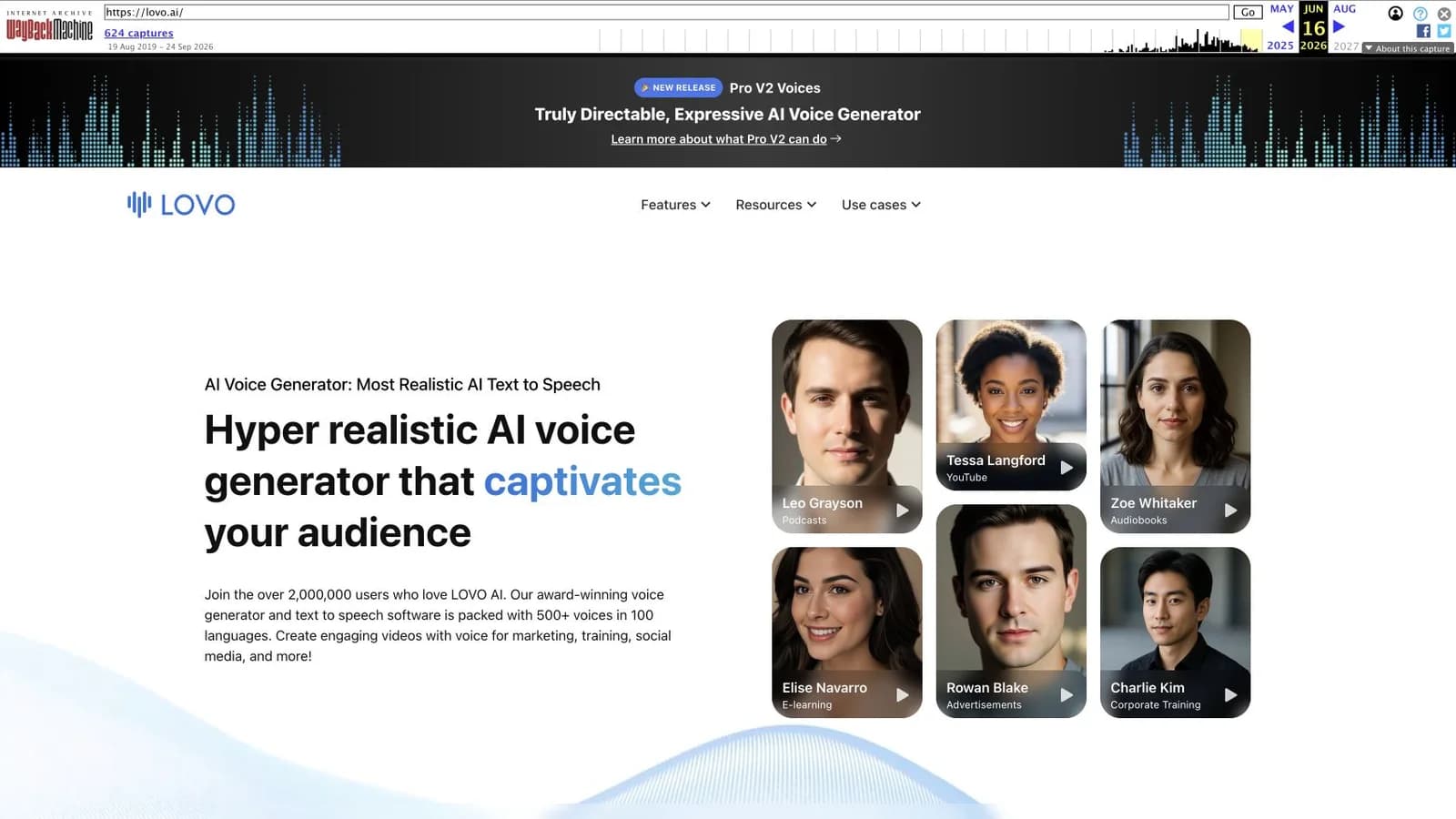
The stronger company-level evidence is the bankruptcy notice filed in Lehrman et al. v. Lovo, Inc. It states that Lovo filed a voluntary Chapter 7 petition on May 27, 2026, in the Southern District of New York, bankruptcy case 26-11249. MLex’s May 27 report independently covered that filing. Together, these facts justify treating LOVO as unavailable when planning new work. We did not find a verified official notice giving one exact, permanent shutdown date.

Do not interpret HTTP 402 as an instruction to pay LOVO to restore access. We saw no functioning customer checkout or recovery procedure on those pages. Likewise, an old search result offering a free trial is not evidence that a trial works now. Check the destination before entering payment information or sending production material.
What happened: a dated evidence timeline
| Date | What the evidence establishes | What it does not establish |
|---|---|---|
| May 27, 2026 | The filed notice records Lovo’s voluntary Chapter 7 petition; MLex reported it that day. | The date every customer lost access. |
| May 29, 2026 | Bloomberg Law reported that the voice-actor lawsuit had been stayed following the bankruptcy filing. | A final finding that the alleged conduct occurred. |
| June 16, 2026 | The Wayback capture preserves LOVO’s marketing homepage and Genny demonstrations. | Working accounts, payments, rendering or support on that date. |
| September 27, 2026 | Our live checks found paused-deployment pages at LOVO and Genny. | The original outage time, future recovery or the fate of each account’s files. |
The US Courts’ Chapter 7 overview describes a liquidation process. Filing is a significant event, but it does not tell an individual subscriber whether a particular invoice will be refunded. The reviewed notice is a copy of a filed document hosted by a litigation tracker, not a fresh, complete docket search. We do not claim to have established the current outcome of every bankruptcy or litigation proceeding.
The voice actors’ claims must also stay separate from the company’s service status. They are allegations in a dispute; the reported stay is a procedural pause. The material reviewed here does not establish that the lawsuit caused the bankruptcy, and we do not infer a final infringement ruling from the filing.
LOVO and Genny: what the product used to offer
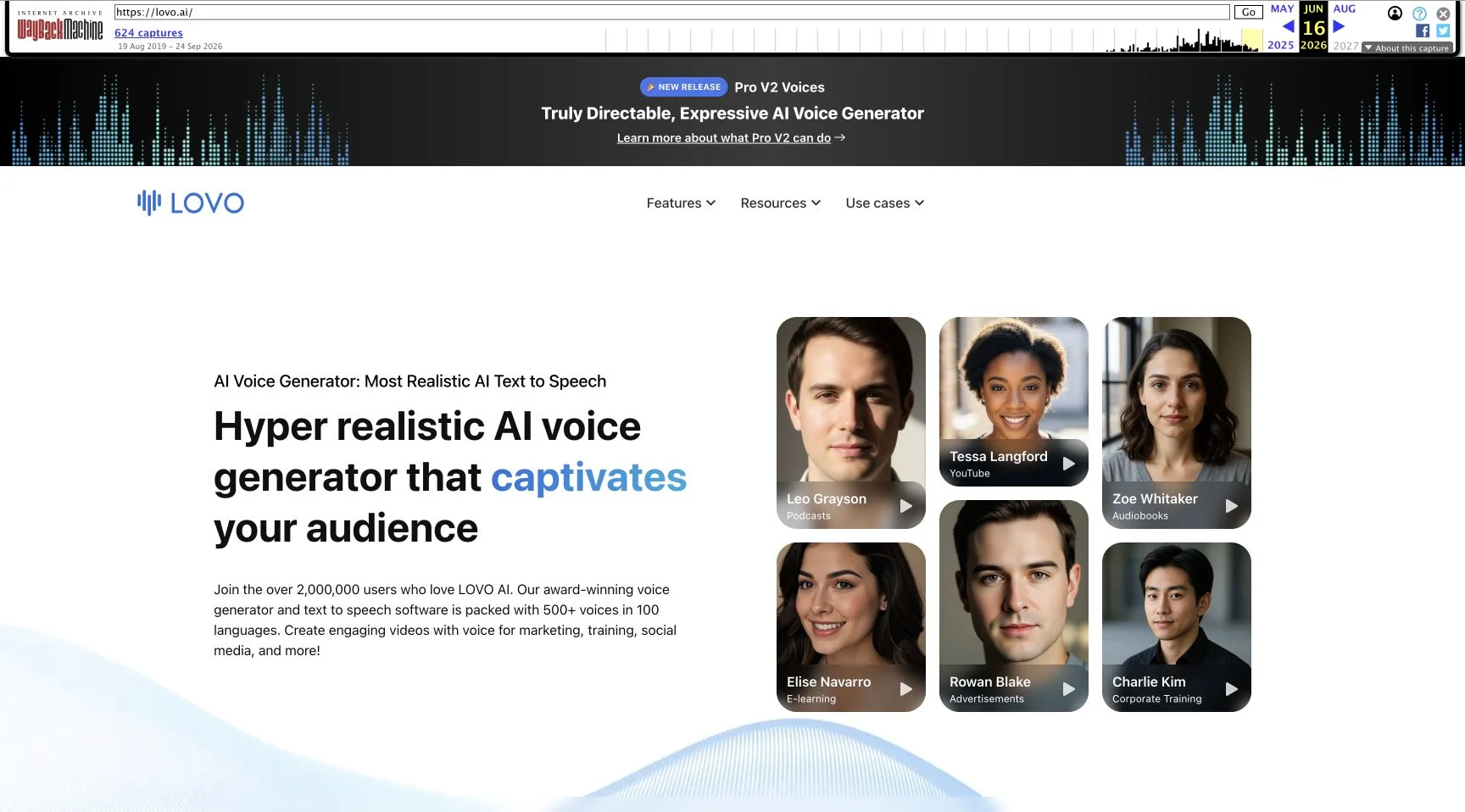
LOVO was the brand; Genny was its combined voice and video creation workspace. The archived homepage advertised text-to-speech, voice cloning, subtitles, script assistance, image generation and a video editor. It also promoted more than 500 voices and around 100 languages. These are historical vendor claims, not counts we independently tested or a current catalogue available to purchase.
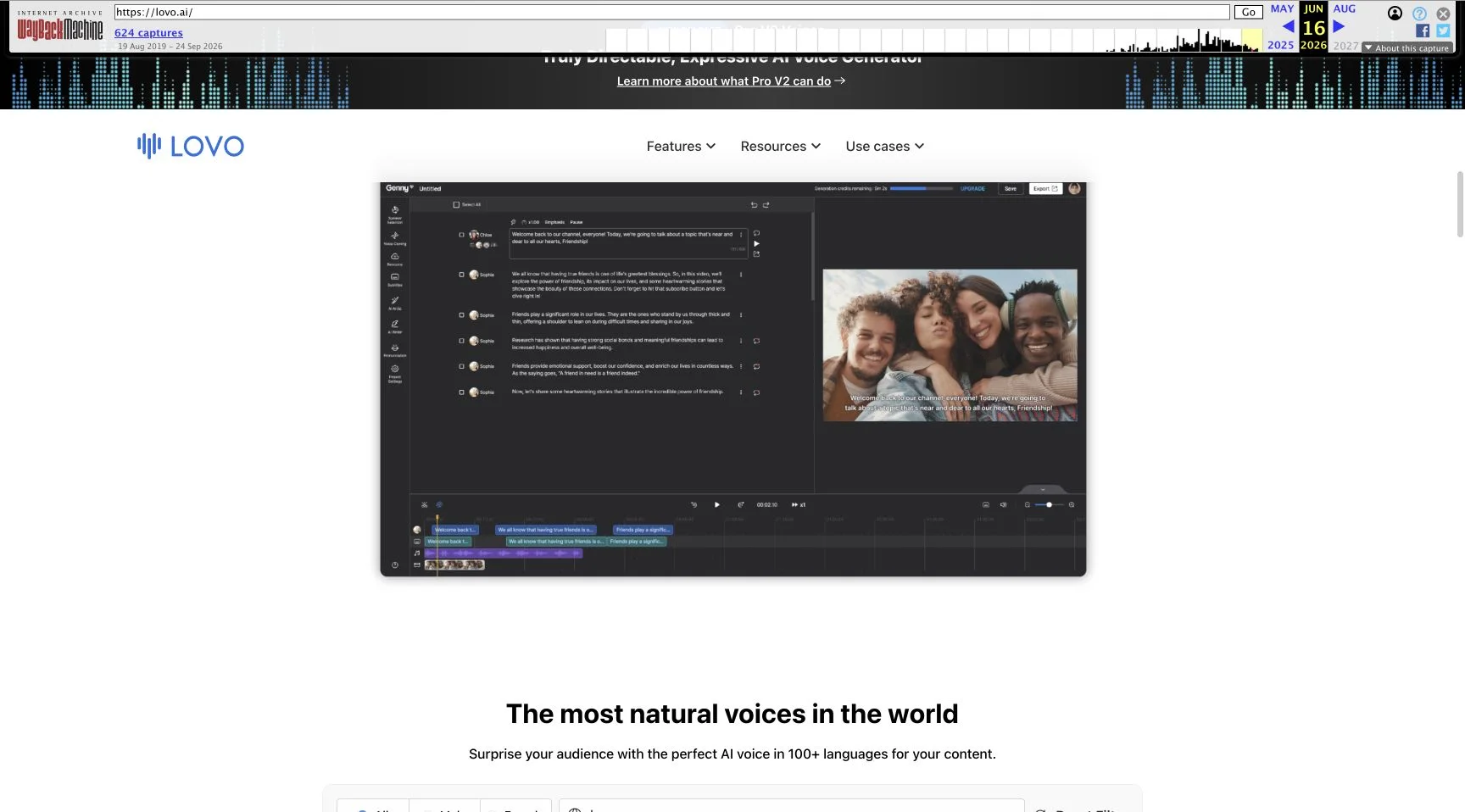
The attraction was understandable. A creator making a training lesson or product explainer could keep narration, visual timing and captions close together instead of moving between several unrelated tools. The archived editor demonstration shows script blocks, a video preview and a timeline. That layout supports a useful production idea: revise one passage, check its duration against a scene, and continue editing without rebuilding the whole video.
That integration was also a dependency. If a cloud workspace holds the only copy of a script, project timeline and rendered narration, losing access can interrupt all three. This is a general workflow risk illustrated by the unavailable service, not evidence that any specific customer’s data has been deleted. An MP3 on your own drive and an editable cloud project are different assets; one does not replace the other.
The voice library was a discovery tool
The archived page shows language filtering and voice cards with labels such as accent and age, plus preview controls. For a multilingual campaign, the useful task was not simply picking the largest catalogue. It was finding a narrator whose delivery suited a particular audience, then checking the actual script for names, numbers, emphasis and pacing.
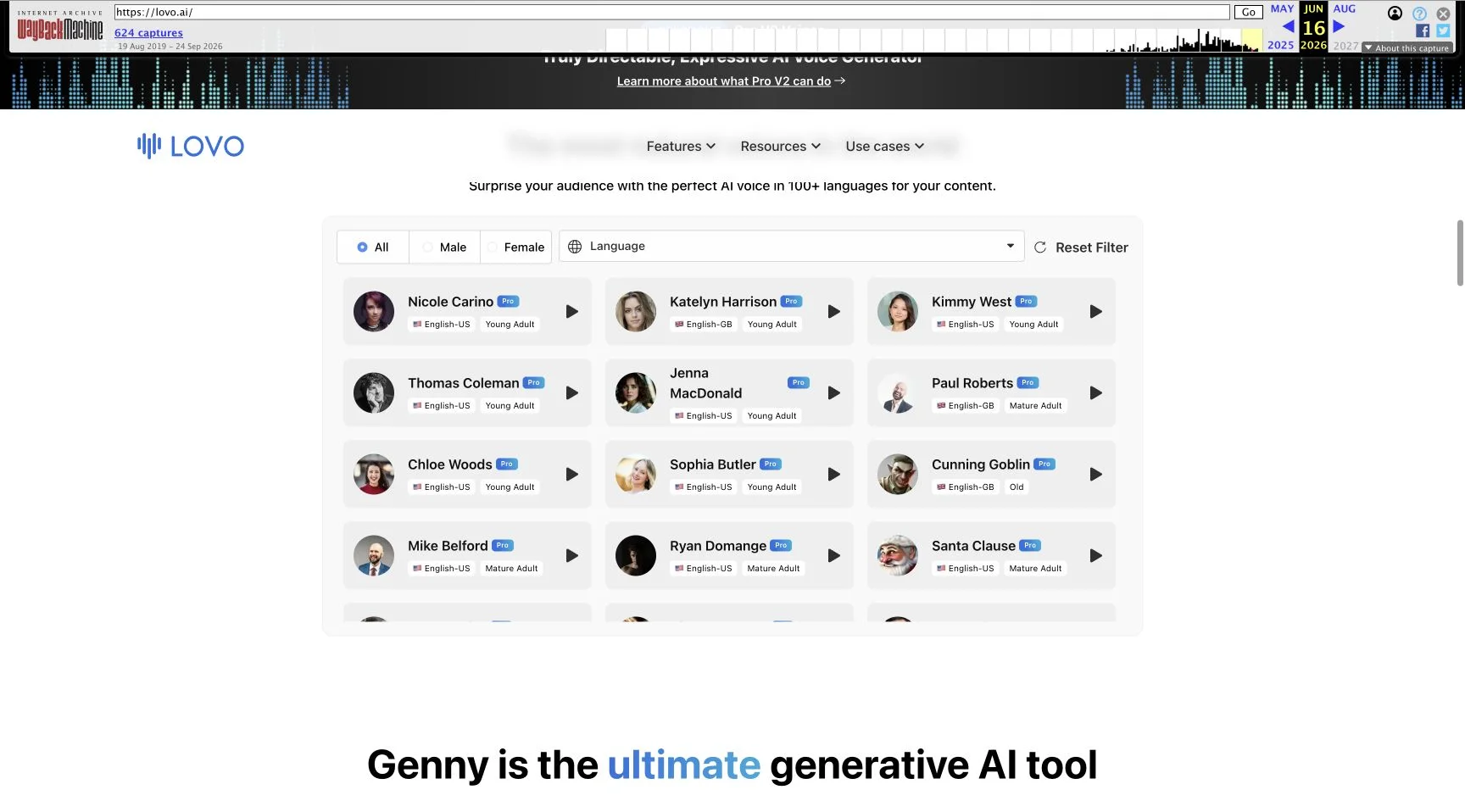
The screenshots explain the old interface; they are not recordings from a new account test. We did not audition every voice or validate the homepage’s “most realistic” language. A polished demo sentence cannot establish performance on a technical training script, and a language count cannot establish that a particular regional accent is appropriate for your audience.
How the old workflow worked—and what to preserve
The archived materials describe a script-to-voice-to-video workflow. The sequence below is a reconstruction of that product concept, not a claim that these steps can currently be completed in Genny:
- Prepare the narration as short script blocks. Keep scene numbers and intended speakers in a separate document so they survive changes to the editor.
- Choose a language and voice, then preview representative passages. Brand names, abbreviations and dates deserve more attention than an easy opening sentence.
- Adjust the delivery and pauses, regenerate only the passages that need changes, and inspect their duration against the visual sequence.
- Align narration with footage and captions, then export a final file while also retaining the script and other reusable assets.
Those steps remain a sensible checklist for evaluating another studio. They do not imply that a Genny project or custom voice can be imported elsewhere. Treat project-file compatibility as unverified until the new service explicitly supports your format and you have completed a small import test.
If you used LOVO: a practical continuity checklist
Start with files you already control. Search your own project folders, shared drives and delivery archives for exported WAV or MP3 audio, final videos, subtitle files, scripts and original recordings. Do not assume a browser cache or a public archive contains private project media. Wayback Machine preserves public web pages; it is not a recovery portal for Genny accounts.
Create a simple inventory with one row per deliverable: project name, last approved script, available audio, missing passages, subtitle version and delivery date. This tells you whether the fastest recovery path is a small pickup recording or a complete rebuild. Keep old exports untouched and work on copies so a replacement attempt cannot destroy the last approved version.
If you can still access a legitimate account route, prioritize supported exports and keep evidence of what was available. We cannot confirm that such a route exists today. Retain receipts, plan terms and correspondence separately. For payment questions, contact the relevant merchant or payment service using documented channels; eligibility and deadlines depend on the transaction and jurisdiction. Nothing in this review promises a refund or replaces advice about an individual bankruptcy claim.
For a custom voice, keep the original authorized recordings and consent documentation. A rendered voiceover is not automatically a portable voice model, and switching services does not create new permission to clone someone. Check the replacement service’s consent and licensing rules before submitting any recording.
LOVO alternatives: choose the missing part of your workflow
This is a shortlist by task, not a sound-quality ranking. We reviewed the linked public product pages on September 27; we did not conduct matched audio tests. NanoPhoto is the publisher of this article, and its row covers adjacent visual work rather than promising a complete Genny replacement.
| Option | Relevant workflow | What to verify before moving |
|---|---|---|
| LOVO / Genny | Historically combined narration and video editing. | Entry points were unavailable; no current purchase recommendation. |
| ElevenLabs | Text-to-speech when the missing asset is narration. | Target-language pronunciation, export rights and the plan covering your intended use. |
| Murf | Voiceover production with a studio-oriented workflow. | Editing controls, media workflow, download entitlement and actual script performance. |
| NanoPhoto.AI image generation and video tools | Creating new images or video shots for a rebuilt production. | These links do not promise Genny project import, voice-model transfer or identical editing controls. |
Start with a short, representative production sample before committing to a long plan. For voice work, include the difficult words that matter to your audience. For a visual rebuild, first confirm that the new shot fits the existing narration. If your immediate requirement is only a voice track, evaluate a dedicated speech tool rather than buying unrelated visual features.
A useful sample brief is a 30-second product explanation containing a brand name, a date, a number and one intentional pause. Generate it using only material you have permission to use, listen with headphones, and compare pronunciation, cadence, editability and export quality. Then place the file in your actual video project. This is a proposed evaluation method, not a test we performed for this review.
Pricing after closure: old offers are not current plans
The archived homepage advertised a 14-day Pro trial. That is a historical offer, not a verified trial available in September 2026. We do not reproduce old monthly prices as current purchase options, convert them into local currencies, or calculate a saving against a service we could not use.
For alternatives, consult the current ElevenLabs pricing, Murf pricing and NanoPhoto pricing pages. Compare the cost of the output you actually need: downloadable audio, permitted commercial use, additional generations, team access and any separate editing subscription. A free preview and permission to use a downloaded track in an advertisement are different questions.
A sensible budget includes time spent fixing pronunciation, matching the existing edit and rebuilding missing captions. The lowest advertised subscription may not be the cheapest way to finish an interrupted project. Keep those operational costs separate from claims about recovering money already spent with LOVO.
Frequently asked questions
Did LOVO shut down on May 27, 2026?
May 27 is the bankruptcy filing date documented in the notice. Our availability check is dated September 27. We have not verified one exact service shutdown date and do not equate those two events.
Can I still use Genny or recover projects through Wayback Machine?
Genny’s public entry point was paused in our check. The archive is useful for reading the old product pages, not for authenticating into a historical account or recovering private projects. We did not verify a working export or recovery service.
Was LOVO found liable for the voice-cloning allegations?
The bankruptcy notice and the cited report of a stay are not a final liability judgment. This article does not establish the later outcome of the lawsuit and does not present allegations as findings.
Is NanoPhoto a direct replacement for Genny?
For image and video creation tasks, the linked NanoPhoto tools may fit part of a new workflow. This review does not claim that they import Genny timelines or voice models. Choose a dedicated narration tool if voiceover is the missing piece.
Verdict and sources
LOVO’s historical appeal was its combined narration and video workflow. In September 2026, availability is the deciding factor: both checked entry points were paused, and the bankruptcy filing is documented. Preserve existing assets, validate a replacement on a small real job, and avoid relying on undated reviews that still invite you to start a LOVO trial.
For another example of how we separate observed behavior from product claims, see our MeiGen hands-on review. The dated sources below support this LOVO article; screenshots preserve the source interface rather than inventing localized versions.
- MLex, May 27 report: public headline, date and preview inspected; subscriber-only reporting was not accessed.
- Court-filed bankruptcy notice, Document 65: public copy identifying the filing date, chapter and bankruptcy case number.
- Bloomberg Law, May 29 report: report of the litigation stay.
- US Courts: Chapter 7 basics: general procedural background.
- LOVO homepage capture, June 16, 2026: historical product presentation.
- LOVO and Genny: live availability checked September 27, 2026.
Author

More Posts

Video-to-prompt vs manual shot breakdown
Choose between manual shot lists, general AI analysis and a dedicated video-to-prompt tool. Compare editing control, review effort and reusable output.
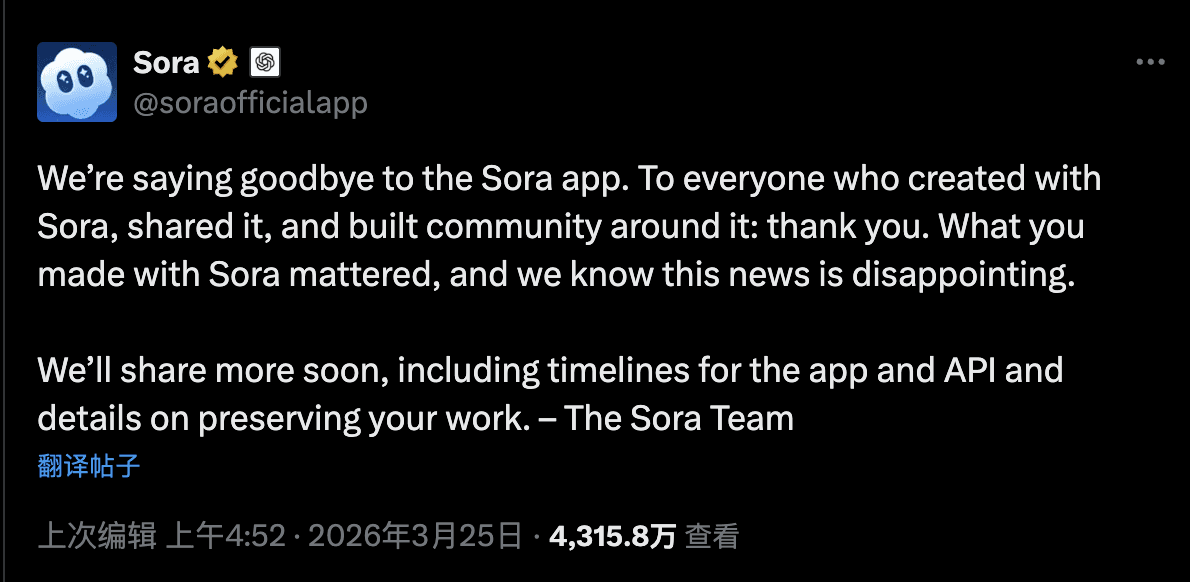
OpenAI Sora Is Shutting Down — Here's the Best Alternative for AI Video in 2026
OpenAI officially announced Sora's discontinuation. We break down what happened, what it means for creators, and why Google Veo 3.1 is now the go-to AI video generator.
How to Remove Text from a Video: 4 Practical Methods
Learn how to remove text from a video by deleting subtitle tracks, cropping, covering, or cleaning burned-in captions with NanoPhoto.AI.
Newsletter
Join the community
Subscribe to our newsletter for the latest news and updates